Your mangascrolls itself.
Scroller glides webtoons, manga and web novels at exactly your reading speed. Press S, lie back, binge till you drift off. Free, for Chrome and Firefox.
Press it. This page reads itself.] faster, [ slower, hold Shift to pause.Tap the key. Tap the pill to stop.
Also for Firefox 140+ · 2-minute install · v1.3.0
Scroller lives in desktop Chrome and Firefox.

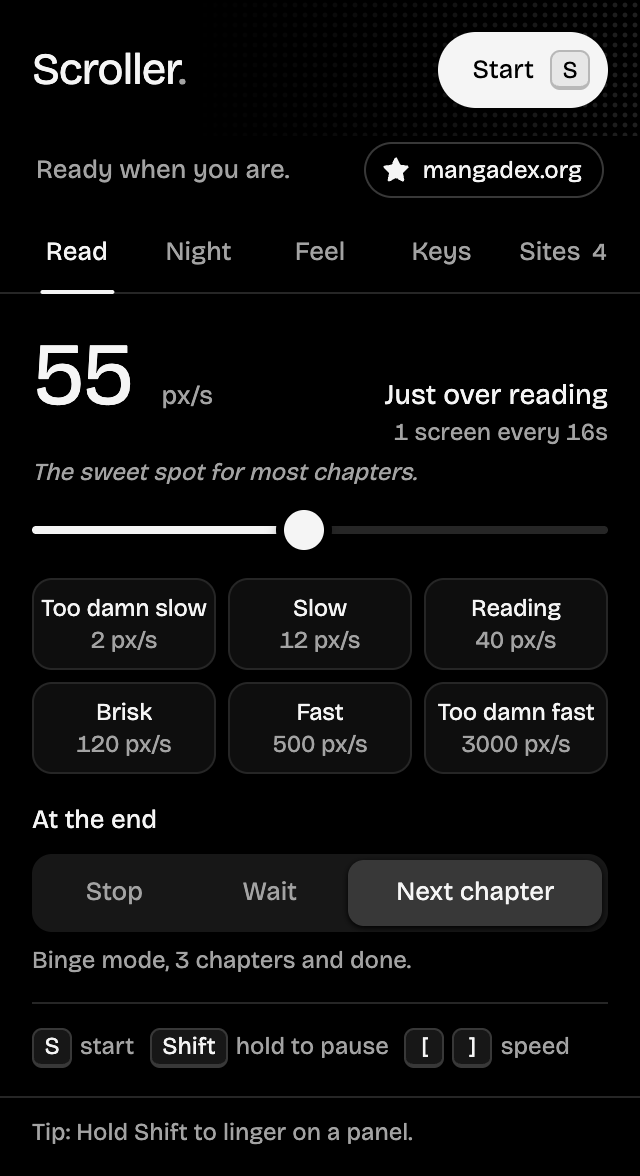
Too damn slow to too damn fast.
Savor every screentone or blitz through a filler arc. Any speed from 1 to 5000 pixels a second, or 50 to 1500 words a minute on novels. Every site remembers yours.
The sweet spot for most chapters.
Reading a light novel? Tap the unit. Scroller measures how much room a word takes in the page's own font and column, so 250 wpm really is 250 words a minute.
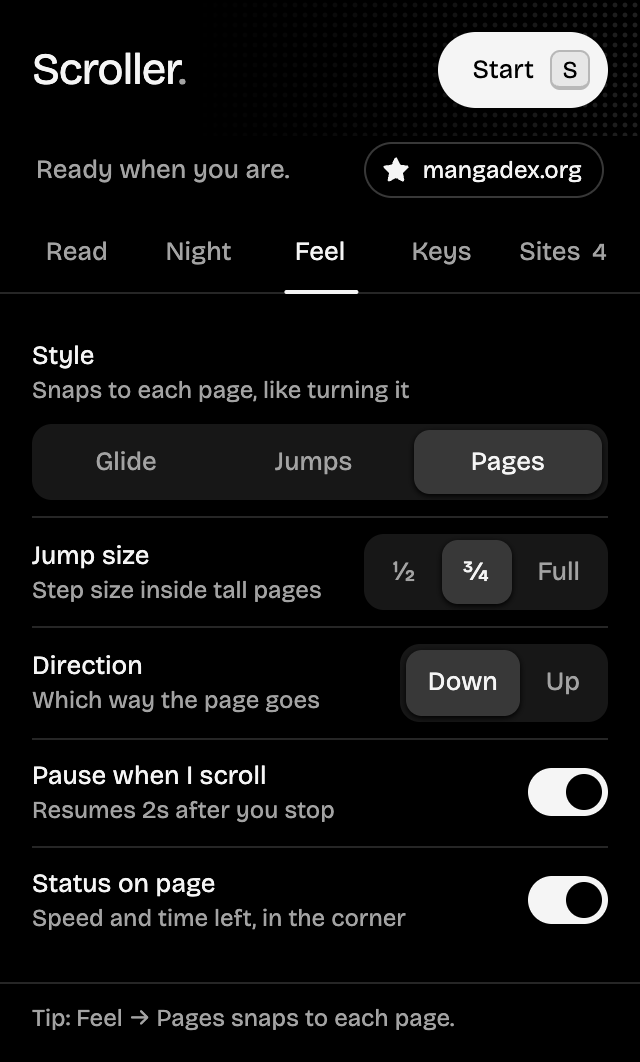
Glide for webtoons. Snap for manga.
One long glide down a webtoon, a chunk at a time, or a Pages style that lands every manga page right at the top of your screen. Up or down, easing in and out instead of lurching.
Made for 2 a.m.
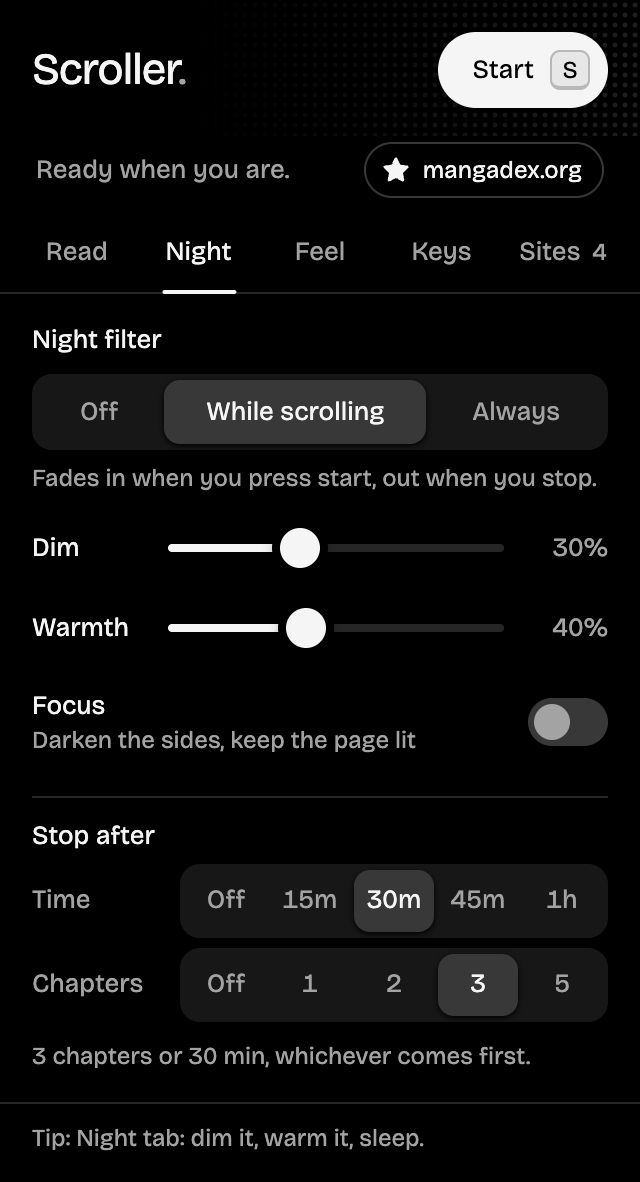
Lights off, eyes happy. Dim the page, warm it to candlelight, and black out the sidebars, ads and comments so only the strip glows. Go on, play with the real controls.
Fall asleep mid-binge.
The next chapter opens itself, so the binge never breaks. Then Stop after tucks you in: after 15 minutes to an hour, or a set number of chapters. The pill counts the time left in each one.
- Chapter 41Next chapter
- Chapter 42Next chapter
- Chapter 43Stop after 3
- Good night.Scrolling stops
The demo's clock runs fast. Yours won't.
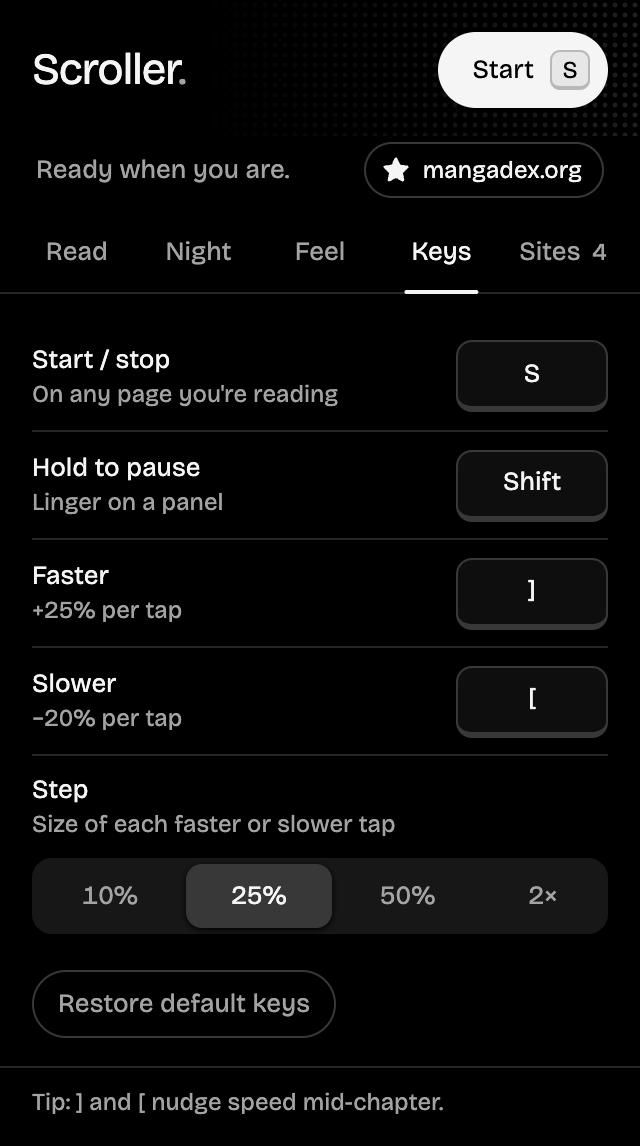
Four keys. Zero thumb cramps.
Your hands stay under the blanket. These work on this page too, so go ahead and try them.
Remap any of them on the Keys tab. Typing in a text box never sets them off, and shortcuts with Ctrl, Cmd or Alt pass straight through.
Five tabs. None of them scroll.
Pure black for reading in the dark, with red saved for one thing: scrolling right now. Star the readers you love and they're one click away.
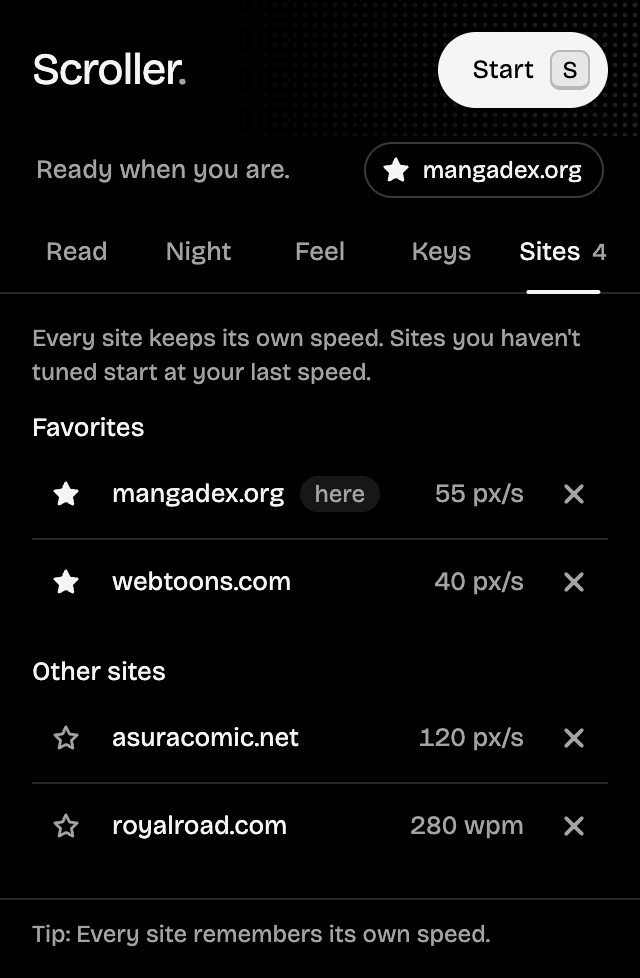
What you read stays between you and the panels.
- No accounts.
- No tracking.
- No analytics.
- No network requests.
Saves your settings and per-site speeds in your browser. Removing Scroller deletes everything.
So it can hear your start key on whatever page you're reading. It does nothing until you press it.
No ads either. Scroller runs on readers: star it on GitHub or .
Two minutes. Once.
Scroller isn't in the Chrome Web Store or on Firefox Add-ons yet, so you load it yourself from the latest release. Do it once; your settings carry over every update.
Chrome
And Edge, Brave, Arc, Opera, Vivaldi.
- Download scroller-chrome.zip and unzip it.
- Open
chrome://extensions. - Turn on Developer mode, top right.
- Click Load unpacked and pick the unzipped folder.
- Pin Scroller from the puzzle-piece menu. Open a manga. Press S.
Firefox
Version 140 or newer.
- Download scroller-firefox.zip. No need to unzip it.
- Open
about:debugging#/runtime/this-firefox. - Click Load Temporary Add-on… and pick the zip.
- Pin Scroller from the Extensions menu. Open a manga. Press S.
Firefox forgets add-ons Mozilla hasn't signed when it restarts, so load it again after a restart. Signed builds are planned.
Download for FirefoxTabs that were already open need a reload before Scroller can run in them. Star or watch the repo to hear about new chapters, er, versions.
Reader mail.
Nothing happens when I press S.
Open the popup. If it says Can't reach this page, click Reload tab: pages opened before you installed or updated don't have Scroller yet. In Firefox, allow Scroller to access all websites under about:addons, Scroller, Permissions.
Is it free?
Yes. Scroller is free and open source under the MIT license. No accounts, no ads, no paid tier.
How can I support Scroller?
Star the repo, tell a friend who reads, or share ideas in GitHub Discussions. If you'd like to chip in, you can buy me a coffee in SOL, ETH, BTC or BNB.
Does it work on my phone?
Scroller is a desktop browser extension: Chrome, Edge, Brave, Arc, Opera, Vivaldi and Firefox 140 or newer. On your phone, send yourself the link and install it on your computer.
Will it work on my manga or novel site?
It runs on any website, including readers that use CSS smooth scrolling and readers that scroll an inner panel instead of the page. Browser pages like chrome:// and the extension stores don't allow extensions at all.
How does Next chapter find the button?
It scores every visible link and button on its words, label, class names and rel="next". Anything that says prev or back is skipped. If it can't find one, can't tell which of two arrows goes forward, or the click doesn't move the page on, it stops rather than going back or looping. The next chapter has to be on the same website.
How do words per minute work?
On text pages Scroller switches to words per minute by itself and measures how much room a word takes in that page's own font, line height and column, so 250 wpm is 250 words a minute on any site, at any zoom. Chinese and Japanese count characters at a matched pace.
Why isn't it in the Chrome Web Store?
Not yet. For now you download it from the latest GitHub release and load it yourself, which takes a couple of minutes, once. Signed Firefox builds are planned.
Does it collect anything?
No. No accounts, tracking, analytics or network requests. Your settings and per-site speeds live in your browser's local extension storage.
Still stuck, or got an idea? Ask in Discussions.
One more chapter?
Go on. Your thumbs have earned the night off.
Read this page again, hands-free.It starts from the top.
Did it save your thumbs? Star the repo, , or suggest what's next.